Sales across every channel
One dashboard for Amazon, Walmart, eBay, your own website and direct sales: what sold, where it shipped, which products lead in which states, and how each store is trending.
T² brings an online seller’s Amazon, Walmart, eBay and own-website business into one place: sales, inventory and listings, the month-end close into QuickBooks, and advertising.
Built and operated by T Squared LLC.
One dashboard for Amazon, Walmart, eBay, your own website and direct sales: what sold, where it shipped, which products lead in which states, and how each store is trending.
Stock for every channel on one page, with listings created and updated on Amazon, Walmart and eBay from the same product records.
Each channel’s sales and fees for the month, matched to QuickBooks items and posted to QuickBooks Online as invoices.
Amazon advertising performance next to the sales it drives, and campaign management through T Squared’s advertising app.
Website orders with fraud screening, shipping hand-off and tracking, plus customer records and wholesale quotes.
Expenses with receipts, exports for the accountant, and insights on where sales start and what customers come back for.
Real T² screens, shown with a made-up sample store’s data.
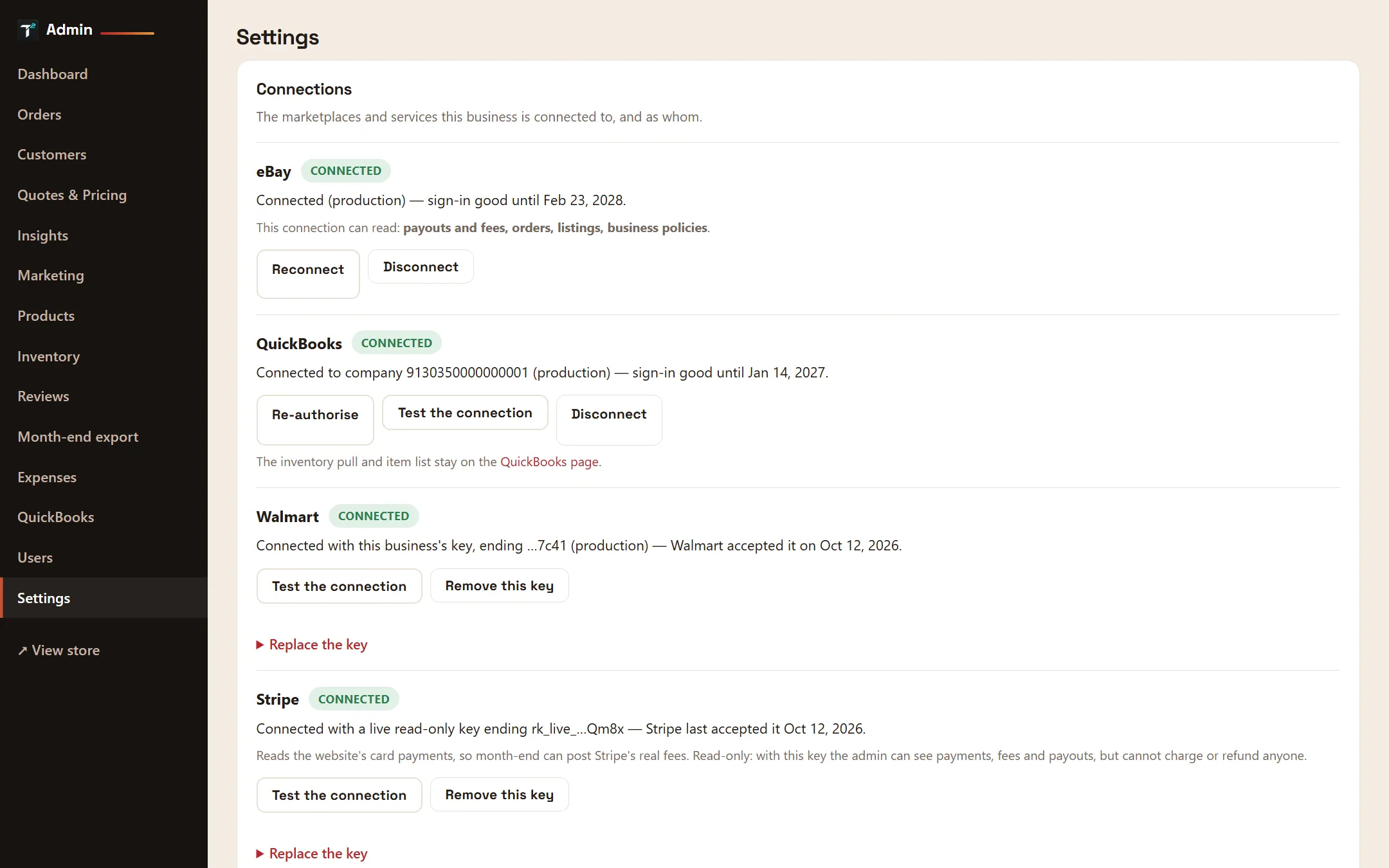
Amazon, Walmart, eBay, QuickBooks, Stripe and Google each connect through the platform’s own sign-in or API keys. Settings shows what is connected, as whom, and whether it still works.
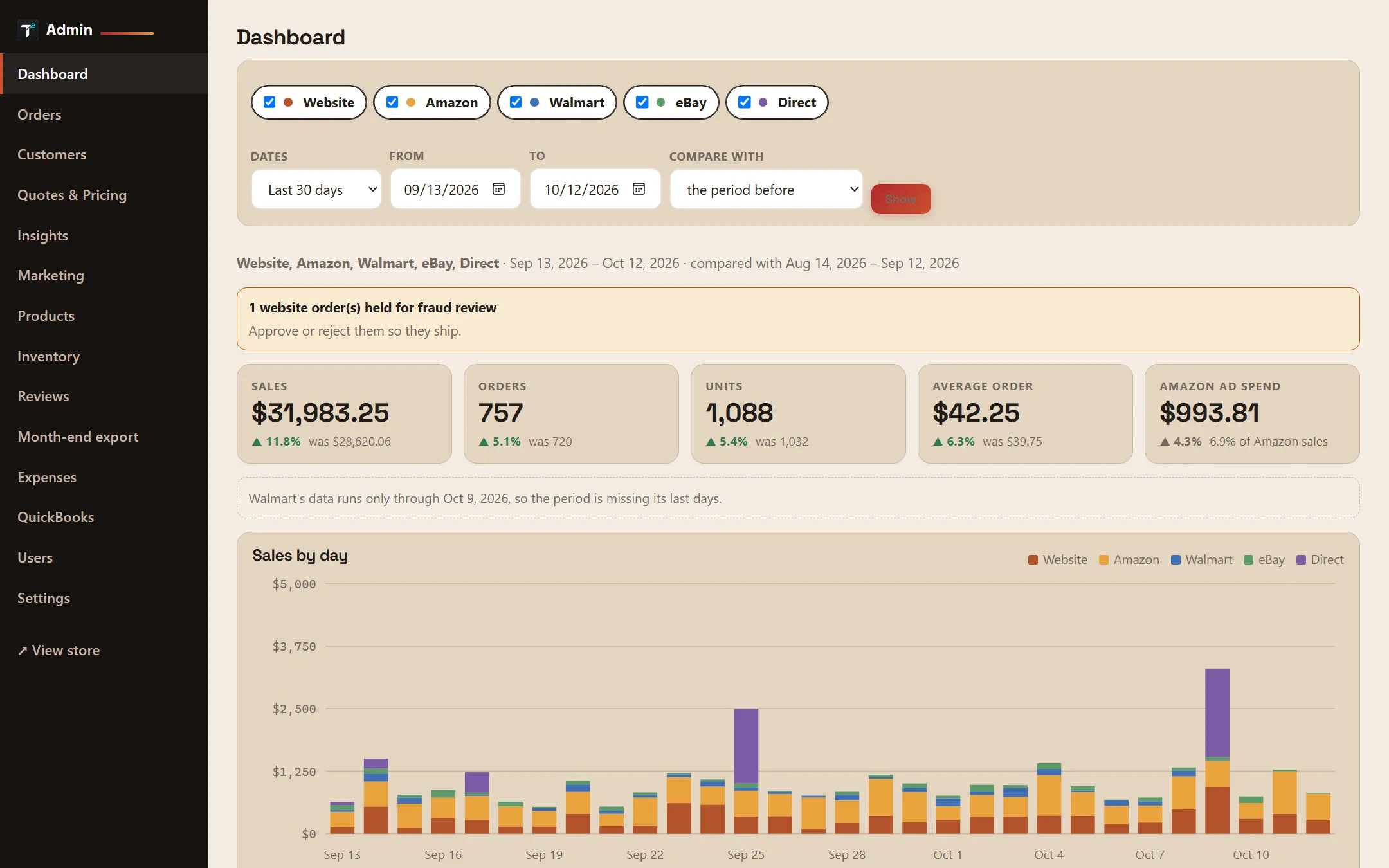
Sales, orders, units and average order across every store, compared with the period before, with Amazon ad spend alongside and anything that needs attention flagged at the top.
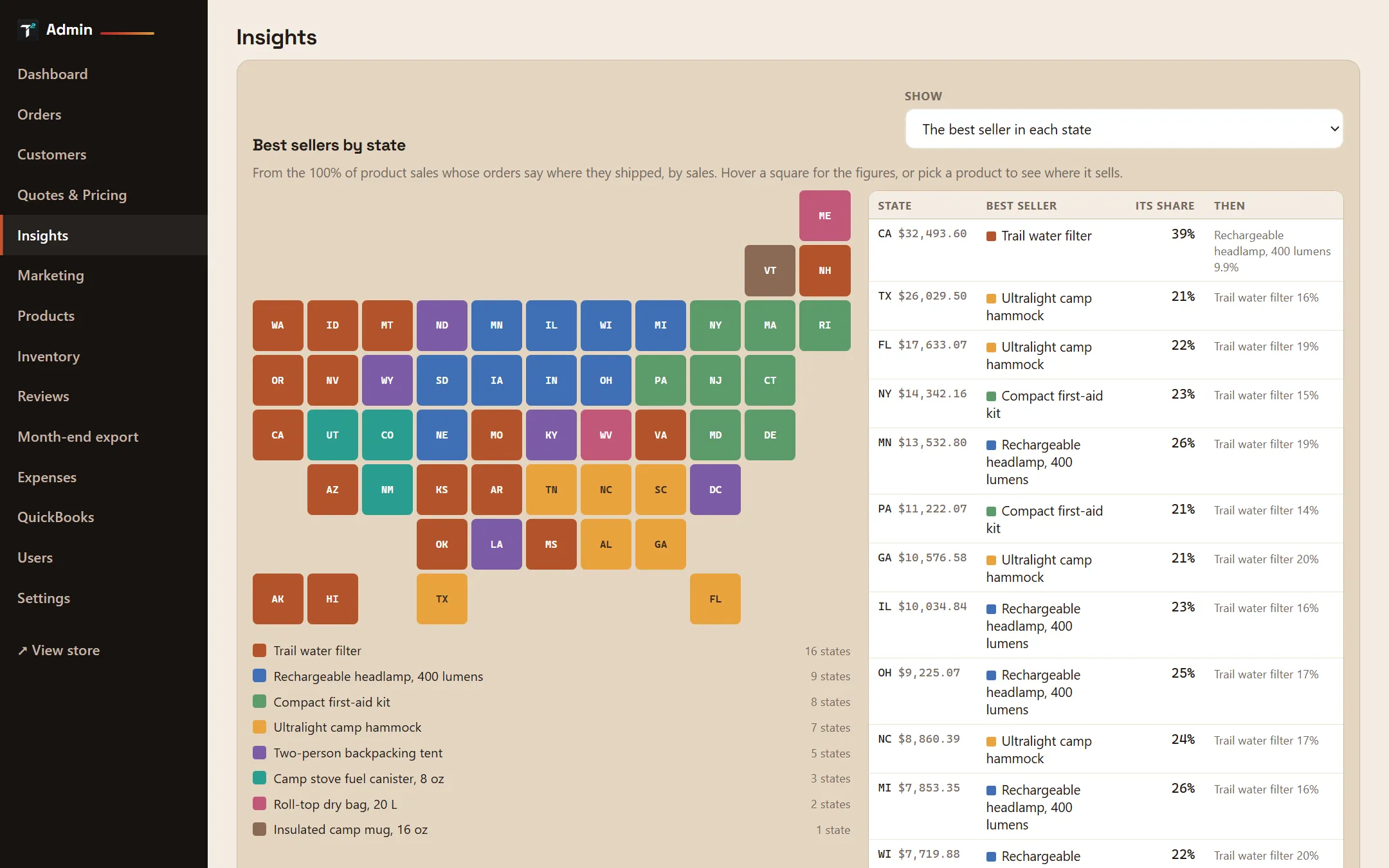
Best sellers across every store, the product that leads in each state, and plain-English notes on what stands out: trends, gaps between channels and returning customers.
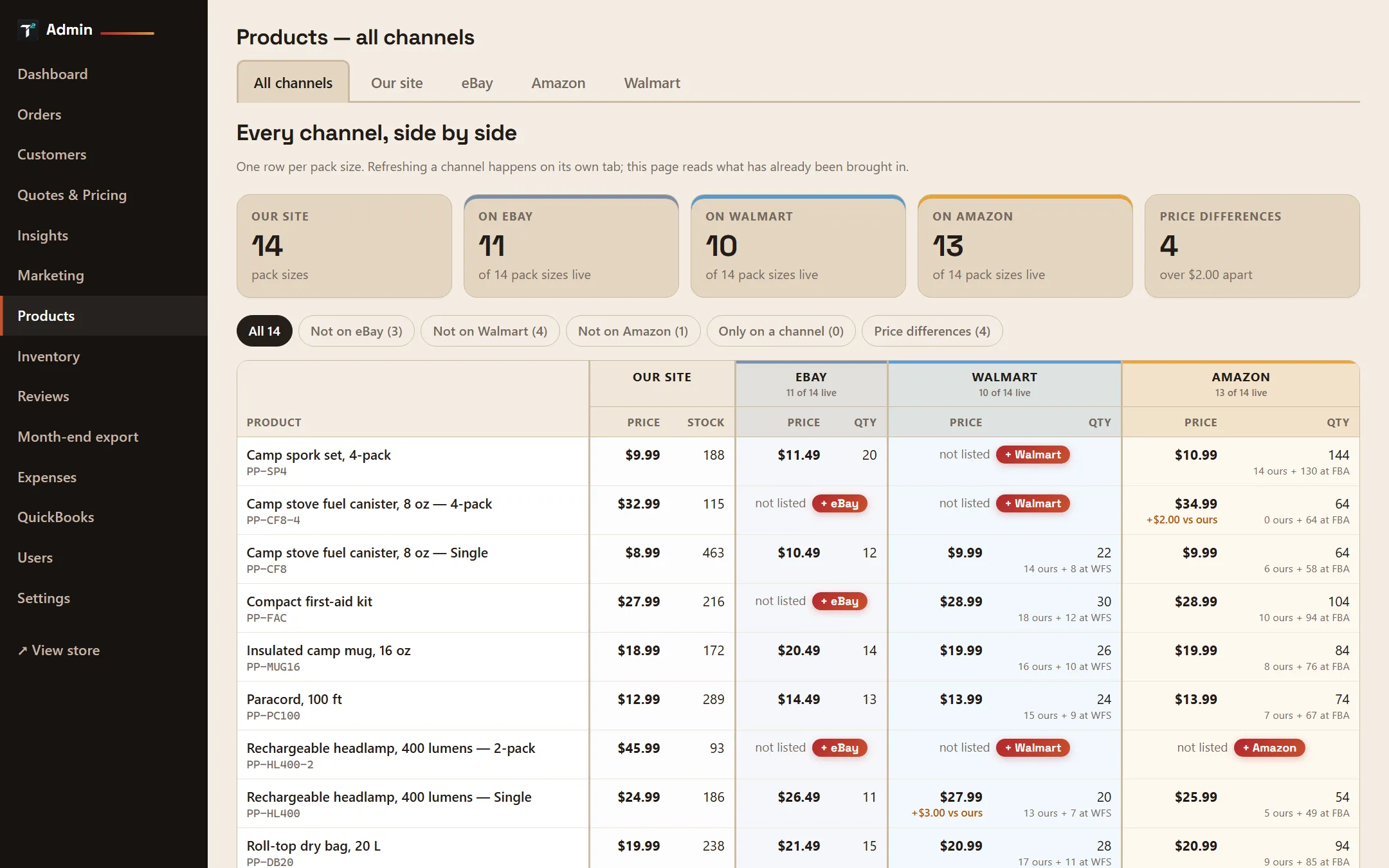
One row per product with its price and stock on your site, eBay, Walmart and Amazon, so a missing listing or a price that has drifted stands out, with a button to list it where it is missing.
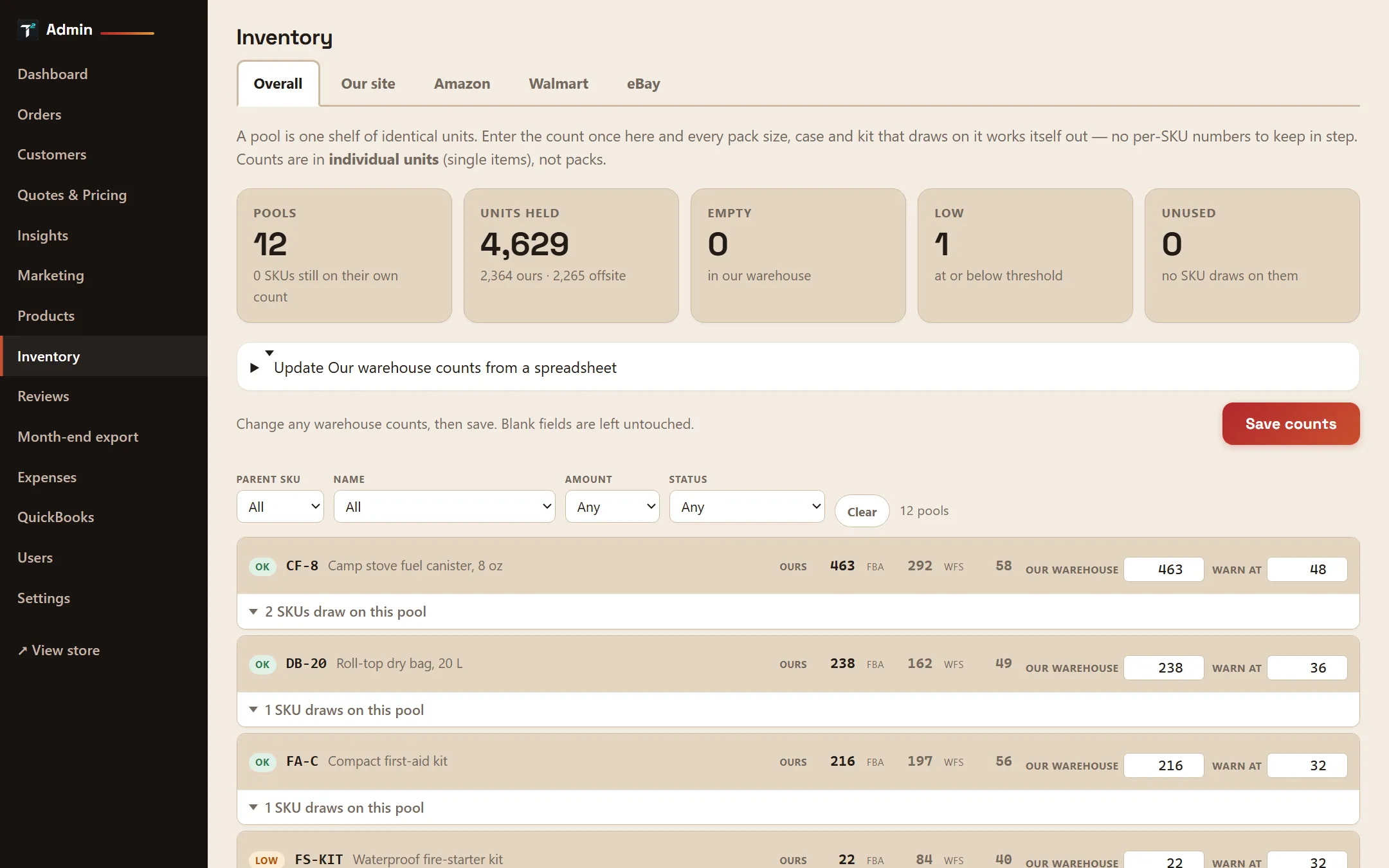
Count each product once and every pack size draws on it. Your own warehouse, Amazon FBA and Walmart WFS stock sit side by side, with low stock flagged.
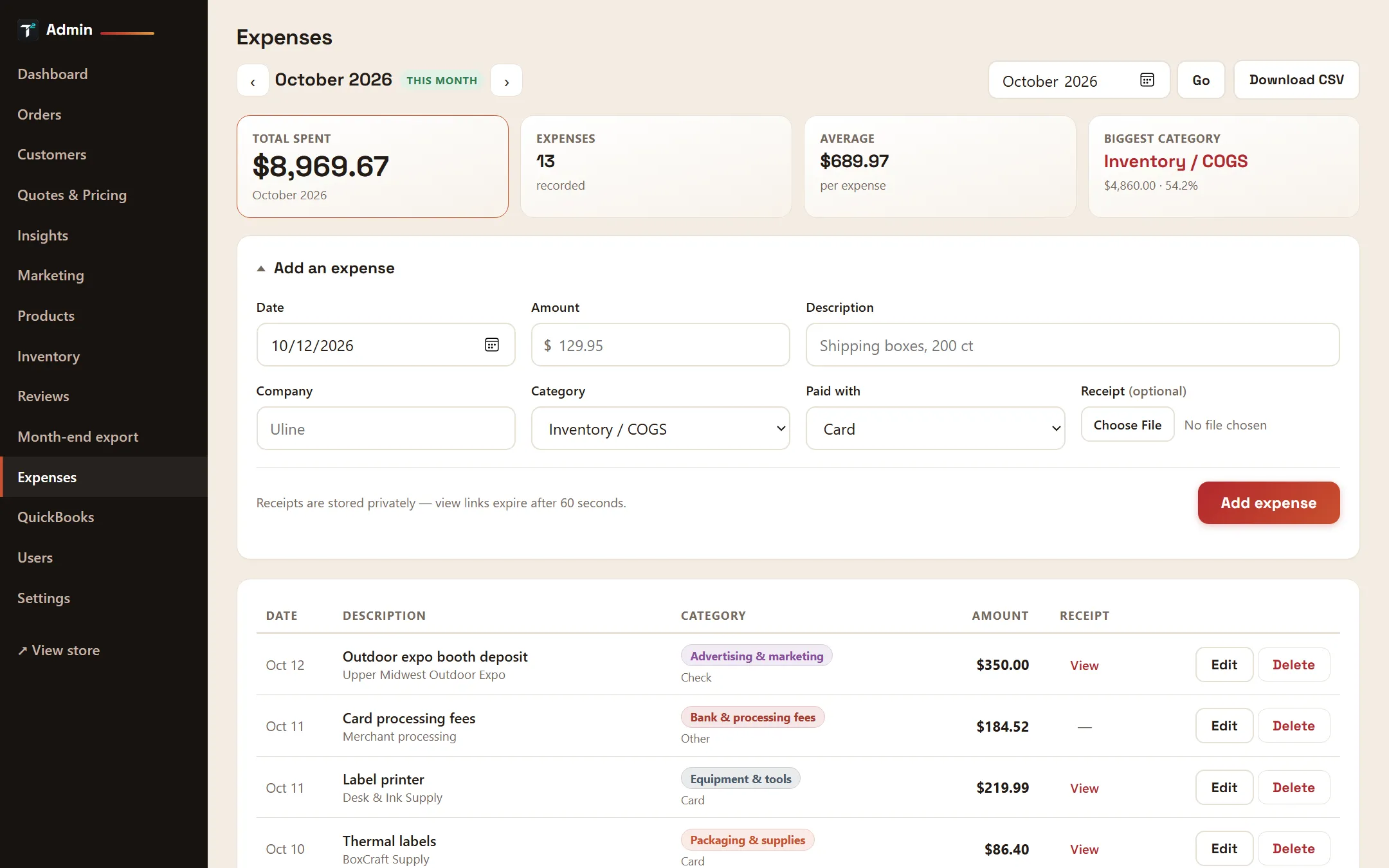
Log each expense with its category and receipt, see the month’s total and biggest categories, and download it for your accountant.
A business authorizes T² through each platform’s own sign-in or API keys. T² never asks for a marketplace password.
Every morning T² brings in the latest orders, listings, fees, payouts and reports from each connected channel.
The team works from one back office, each person seeing only the business and the screens their role allows.
Each business’s information is kept separate, and people see only the businesses they belong to. The sign-in keys for connected platforms are encrypted, and T² asks each platform only for the access its features use. We do not sell or rent anyone’s information.
T² runs the day-to-day operations of the businesses we work with, and we set up each team’s accounts ourselves. To talk about T² for your business, email support@tsquared.app.
Email support@tsquared.app